
Dolphin Emulator for Android and iOS: Play Wii & GameCube Games (2025)
Description
The dream of playing full console games like Super Smash Bros or Mario Kart on a smartphone is now a reality thanks to the Dolphin Emulator for Android and iOS. As the most advanced open-source emulator available, it allows you to run GameCube and Wii titles in full high definition, often looking better than they did on the original consoles.
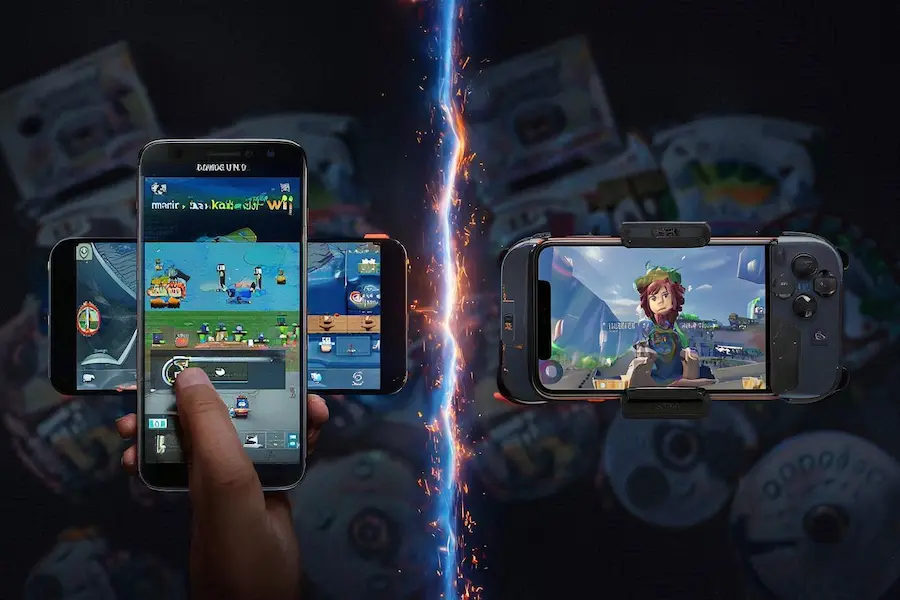
However, getting the app up and running depends heavily on your hardware. While Android users enjoy a relatively seamless experience, iPhone users must navigate Apple’s “walled garden.” This guide covers everything from installation and sideloading to performance tweaks and enabling JIT (Just-In-Time) processing.
Table of Contents
Installation: Android vs. iOS Sideloading
Before you dive into the world of Nintendo emulation, it is important to understand the technical requirements. Android allows for straightforward installation, but iOS requires “sideloading” and specific workarounds to achieve full speed.
| Feature | Android | iOS (iPhone/iPad) |
| Installation Method | Direct APK / Play Store | AltStore / Sideloadly (Requires PC) |
| JIT Requirement | Native (Automatic) | Mandatory (Must enable via Debugger) |
| Performance | Top-tier on Snapdragon chips | Fast (A14+), but setup is complex |
| Controller Support | Plug-and-Play (All types) | Supported (MFi, Xbox, DualSense) |
For Android, the process is simple: download the app and go. On the other hand, Dolphin isn’t available on the official Apple App Store. iPhone users must use AltStore to sign the .ipa file and then use a computer to enable JIT—otherwise, games will suffer from heavy lag and slow-motion audio.
Why Dolphin Emulator for Android and iOS is the King of Emulation
Dolphin Emulator for Android and iOS is more than just a simulator; it’s an enhancement suite. It offers features that modernize retro titles, making them feel like 2025 releases rather than relics from two decades ago.
- HD Upscaling: Render games at 1080p or even 4K resolution to eliminate the blurriness of old AV cables.
- Save States: Forget hunting for a save point. Save your progress instantly at any second for quick gaming sessions on the go.
- Netplay: Experience multiplayer online with friends, even if they are playing on a PC.
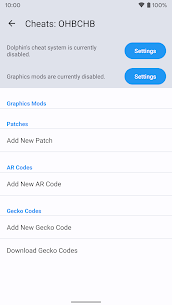
- Cheat Support: Easily implement Gecko or Action Replay codes to unlock characters or bypass difficult levels.
These features make Dolphin Emulator for Android and iOS essential for any retro gamer. The ability to use cheat codes (Gecko/Action Replay) also allows you to unlock all characters or infinite items without grinding for hours.
Step-by-Step Setup Guide
Once the app is installed on your device, follow these steps to build your digital library and start playing:
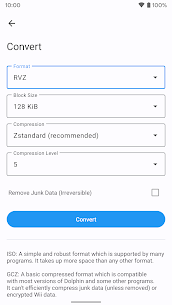
- Prepare Your Files: Dump your physical game discs into .ISO or .RVZ format using a Wii or PC drive. (Note: Downloading ROMs you do not own is illegal).
- Locate Your Library: Open Dolphin, tap the “+” icon, and point the app to the folder where your game files are stored.
- Configure Your Controller: While touch controls are available, a Bluetooth controller is recommended. Go to “GameCube Input” in the settings to map your physical buttons.
Important for iOS users: Every time you restart the app, you may need to re-tether to your computer to enable JIT. This is the primary trade-off for running high-end emulation on Apple devices without a jailbreak.
Performance Optimization: How to Fix Lag
Wii and GameCube titles are resource-intensive. If you experience stuttering or frame drops, try these adjustments:
Change the Video Backend: On Android, switching to Vulkan usually provides the best frame rates. On iOS, Metal is the optimized standard.
Lower Internal Resolution: If your phone is overheating, drop the resolution to 1x or 2x Native.
Compile Shaders: Set your “Shader Compilation Mode” to “Hybrid Ubershaders.” This prevents the small hiccups that occur when new visual effects appear on screen for the first time.
Download links
Step-by-Step Installation Guide:
- Click the Download button above.
- Save the file to your device's Downloads folder.
- Go to Settings > Security and enable "Unknown Sources".
- Open the downloaded APK file and tap Install.
- Wait for the installation to finish, then open the game and enjoy!
Images


Related apps




| Updated | Des 15, 2025 |
| Size | 18 MB |
| Version | 5.0-20345 (Beta) |
| Requirements | Android 9.0+ / iOS 14.0+ |
| Downloads | 20,000+ |